Getting Started
Understand what tally is and see the setup journey for your product (ready-made kit or Free edition). By the end of this page you know exactly which document to open next.
- Ready-made kit: master (and receivers) delivered
- Free edition: module purchased and firmware installed via the DIY guide
What is a tally system?#
Tally tells camera operators which camera is on-air right now and which is scheduled next in studios and live events.
| State | Meaning | LED color | Operator action |
|---|---|---|---|
| PGM (Program) | On-air now | Red | On-air — be careful |
| PVW (Preview) | Scheduled next | Green | My turn soon |
| OFF | Not on-air | Off (or blue) | Standing by |
Components#
TALLY-NODE comes in two forms.
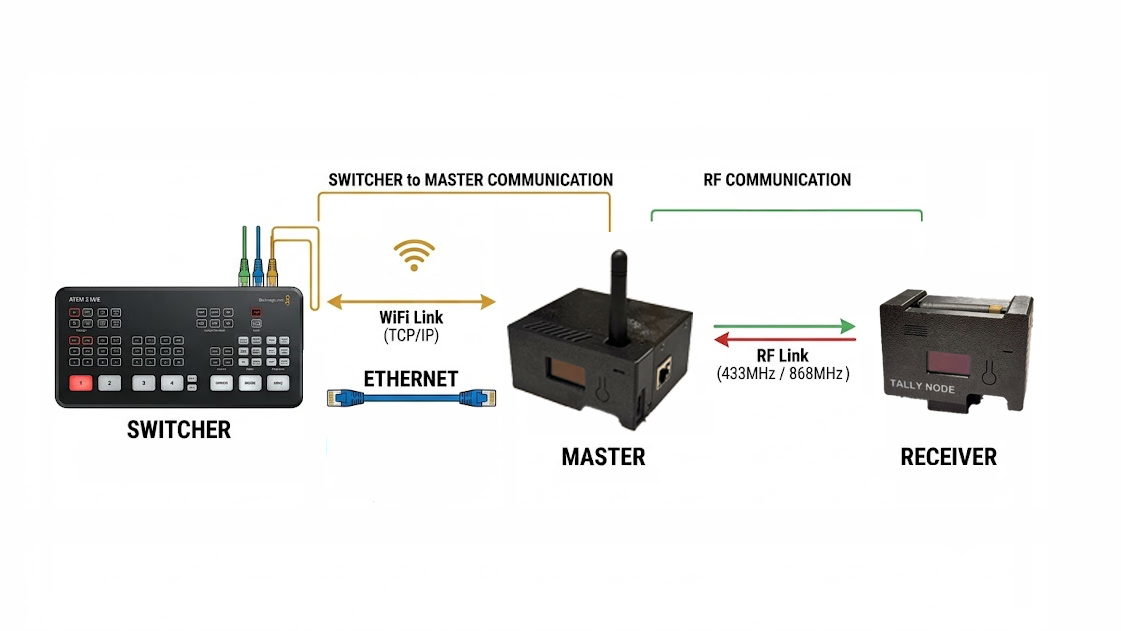
Ready-made kit (Licensed edition) — the master and receivers arrive as finished devices. Unbox, set up, and run — no assembly.
- Master — takes tally from the switcher, broadcasts it over LoRa to every receiver, and hosts the web console (up to 20 receivers, license-governed).
- Receiver — mounts on a camera and shows only its own camera number state on LED and OLED.
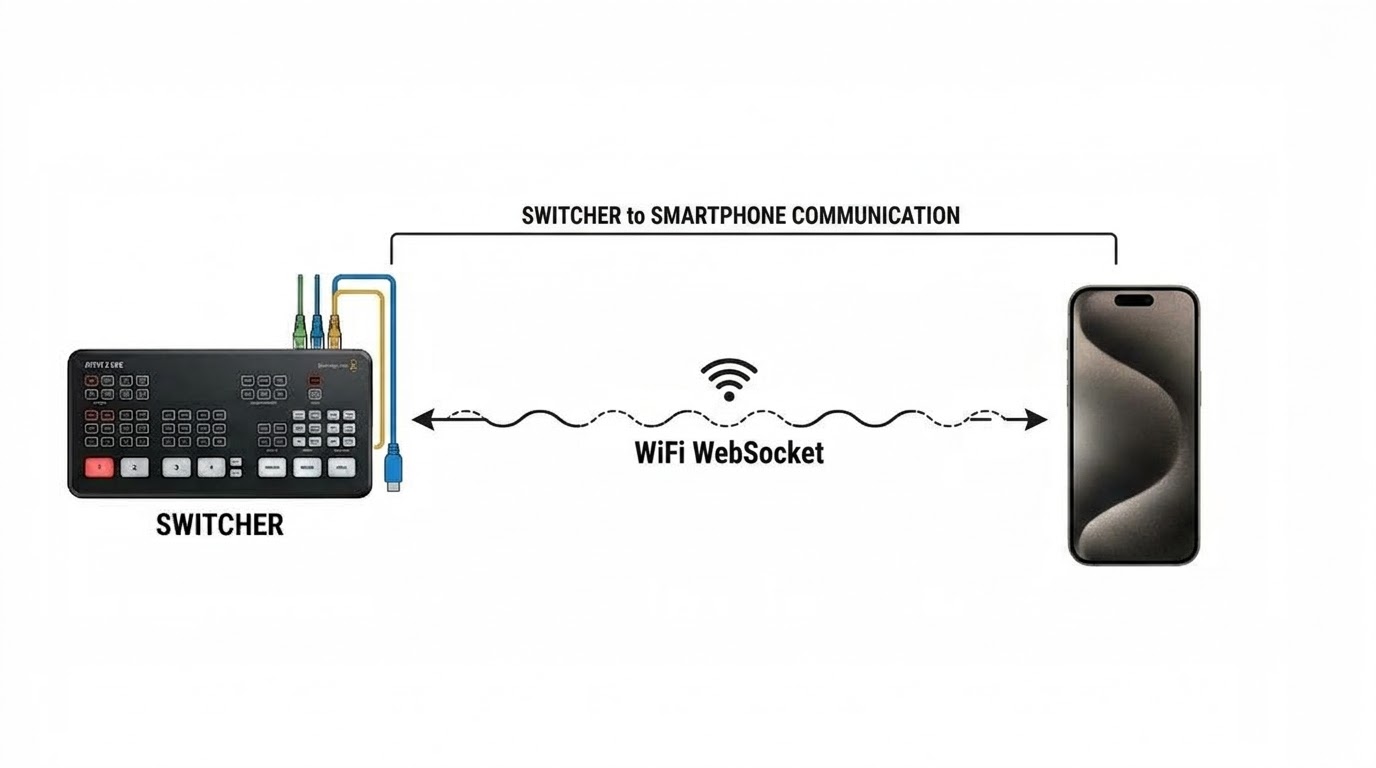
Free edition (self-installed) — you buy an ESP32-S3 module yourself and flash the free firmware onto it. No receivers — phones and browsers act as tally monitors (Web Tally). Follow the DIY guide from purchasing to install.
Setup journey#
For the ready-made kit, follow this order — each document is the prerequisite of the next.
- 1Hardware setupDoc 02 → exterior check, mounting, charging, pre-use checklist passed
- 2FirmwareDoc 03 → installed via the web flasher, master/receiver versions match
- 3NetworkDoc 04 → web console reachable over a path that fits your site
- 4Console & systemDocs 05-06 → console layout learned, basic settings
- 5LicenseDoc 07 → key entered, Active badge shown (master)
For the Free edition: DIY guide (install) → 04 Network → 05 Web Console → 09 Switcher Integration.
- You know the product lines and your journey order
- You know the three states: PGM, PVW, OFF
Stuck on the journey? Find your symptom in the Troubleshooting tables.