10 · Wireless Channel Setup
Wireless Channel Setup
Scan for an RF (LoRa) channel and change it safely with every receiver powered on. Also covers isolating neighboring Tally systems with the Sync Word.
Ready-made kit · master only
Before you start
- 07 · License activated (Active badge)
- 09 · Switcher Integration done
- For changes: all target receivers can be powered on
Channel scan#
Only Frequency (MHz) and Sync Word are editable on the web. The band (868/433MHz) is auto-detected from the hardware at boot.
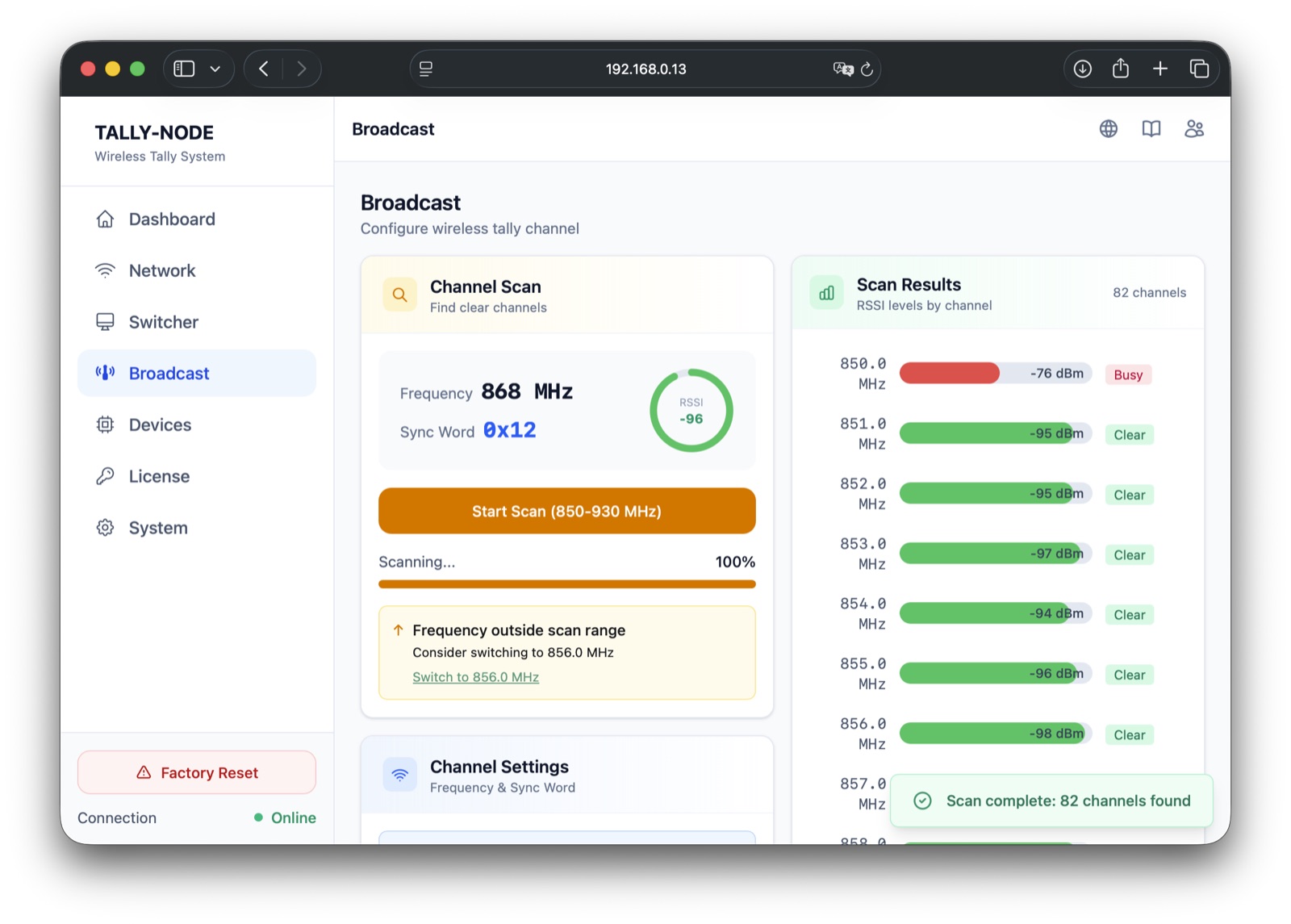
- 1Start ScanChannel Scan card → sweeps the chip band at 1MHz steps (850-930 on an 868MHz chip)
- 2Read resultsRows fill every 0.5s → each row = frequency + bar + RSSI + Clear/Busy (-80dBm or below = Clear)
- 3Click a rowClicking fills the settings form (saving is separate → toast reminds you)
Scanning interrupts tally
The scan monopolizes the RF chip (seconds to tens of seconds). No cancel button.
Changing channels#
Receivers that were off stay on the old channel
A receiver powered off during the change misses the announcement and stays on the old channel — it will not reconnect until you move the master back or reconfigure it.
- 1All receivers ONPower every target receiver and keep them near the master → ready
- 2Confirm valuesCheck Frequency and Sync Word sliders → already filled from a scan row
- 3Save Channel SettingsButton shows Applying settings… → applied after 5-10 seconds
- 4VerifyAll receivers Online on the Devices screen → change complete
Multi-system isolation (Sync Word)#
The Sync Word identifies LoRa packets — one system (a master and its receivers) shares one value; give neighbors different ones to separate systems.
| Item | Value |
|---|---|
| Input | Slider (integer 1-150 = 0x01-0x96), no presets |
| Default | 0x12 (18) |
| Example | Three systems on 868MHz → 0x12 / 0x40 / 0x80 |
Range and interference#
| Factor | Recommendation |
|---|---|
| Line of sight | Unobstructed direct path — avoid concrete walls and metal structures |
| Placement · height | Keep the internal antenna clear of metal, mounted as high as possible |
- All receivers Online after the change
- Current channel is Clear (or the recommended one)
Post-change issues: Troubleshooting · communication.
Next steps
Last modified —