06 · System Settings
System Settings
Set the refresh rate, run the lighting test, and read notices. The factory reset procedure also lives here.
Applies to the kit and the Free edition
Before you start
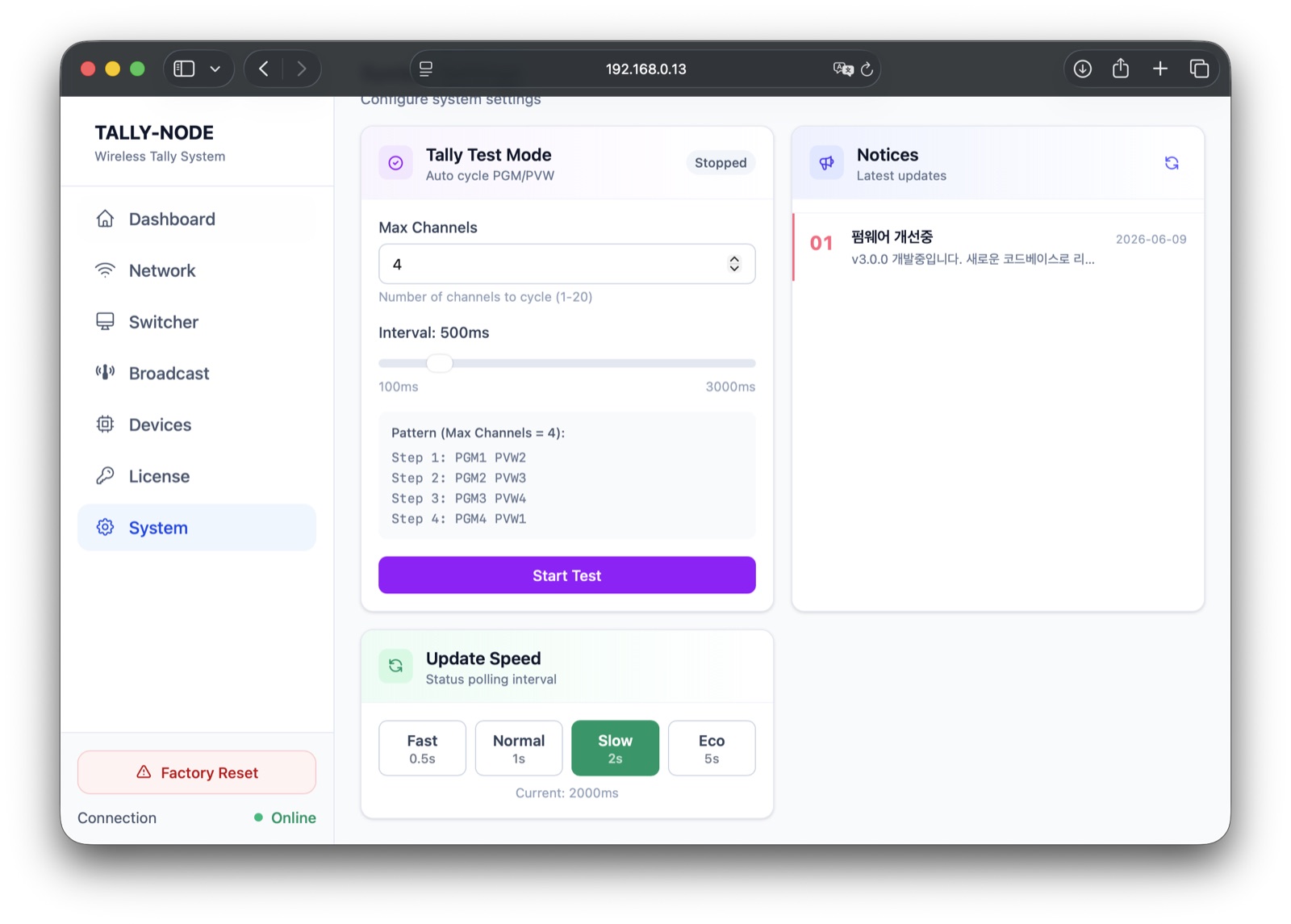
Update Speed (refresh rate)#
Pick one of Fast 0.5s / Normal 1s / Slow 2s / Eco 5s → the choice is highlighted with a Current readout.
- Below 1s a higher-network-usage warning appears.
- Stored per browser — another device starts at its default (2s).
Tally Test Mode#
Cycles PGM/PVW automatically to exercise the whole chain (kit master only — locked on Free).
- 1Set valuesMax Channels (1-20) and Interval (100-3000ms) → preview shows the stepping order
- 2Start TestBadge turns Running → cycles forever (no auto-stop)
- 3Stop TestCycling stops → last state stays until the next switcher event
The test actually transmits
Test mode drives the whole tally engine and lights every wireless receiver for real. Never during a live show.
Starting without values
Empty values cycle through as many channels as there are paired receivers.
Notices#
- Operational notices relayed by the device from the server; loaded on entry, reload via the refresh icon.
- Click an item → full-text modal (links open in a new tab); high-priority items carry a warning color.
Factory Reset#
Cannot be undone
Factory reset erases every master setting — note down any values you need before proceeding.
- 1Click the buttonRed Factory Reset at the sidebar bottom → confirmation modal appears
- 2ConfirmApprove the cannot-be-undone warning → wipe starts
- 3RebootAll settings erased, device reboots → reconnect via the AP (Tally-XXXXXX, 192.168.4.1)
| Device | Effect |
|---|---|
| Master | Network, switcher, mapping, RF, and license all erased, then reboot |
| Receiver | Unaffected — receiver-side settings (camera number, brightness, off-mode) are kept |
The RESET button is not a factory reset
The physical RESET button only reboots — only the web console wipes. Afterwards reactivate the license.
- Update Speed choice reflected in Current
- Factory reset scope understood
Test-mode or notice symptoms: Troubleshooting · software.
Next steps
Last modified —